
Faucet
Once you've set up your account information, you can now receive some coins from the Faucet.
There are two ways you can do this.
If you want to use Keplr wallet, your account must be signed in to Keplr.
Web Interface
You can choose to enter your address manually or connect with Keplr, if you would like to use Keplr please skip to here
Verify that you are not a robot 4. Click "Send Coins" which will transfer 1 reap to your account
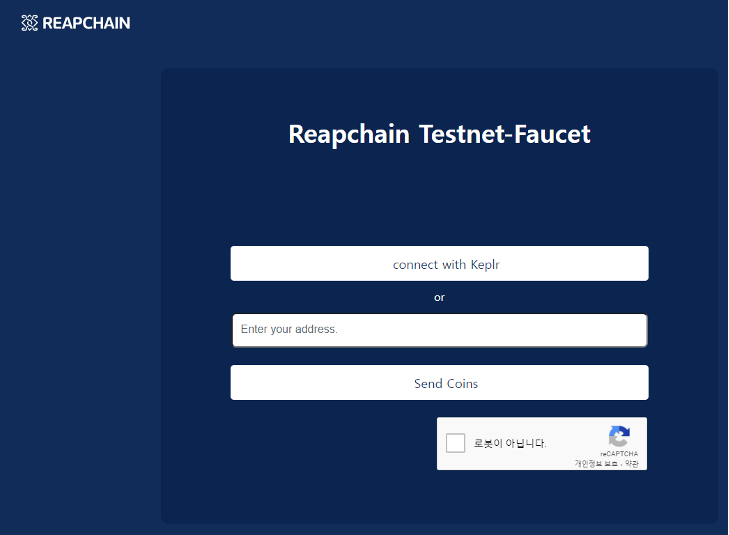
Keplr
Click "Connect with Keplr"
A pop-up to add the TestNet Chain to Keplr will open
If you approve of this, a pop-up to access the chain will open

If you approve this pop-up, your address will be automatically entered.
Verify that you are not a robot
Click "Send Coins" which will transfer 1 reap to your account
Coin Values
REAP is the network’s native cryptocurrency. The smallest unit of REAP is the aREAP or the atto REAP, where 1 reap = 1,000,000,000,000,000,000 areap.
Command Line Interface
Use a curl command to post a request like this:
If successful the return message should look like this:
Transfer Limits
A single faucet request transfers 1 reap with a daily total limit of 3 reap per account.
Checking Balance
In order to check your balance, you need to execute this command:
You need to replace these variables:
$MY_ADDRESS - Your address for your account
$NODE_IP - The IP address for a node in the Mercury TestNet. Currently you can use test
$CHAIN_ID - The ID for the blockchain. Currently you can use "reapchain_2023-1"
An example:
If successful, the return message should look like this:
Last updated